How I manage my homelab's backlog
A look into how I organise and prioritise my homelab's backlog.
Howdy, and happy Sunday!
I’ve had friends joke that running a homelab is like having a second job, and in some ways they’re not wrong! Of course there’s the usual patching and maintenance to keep on top of, but there are also countless new ideas and improvements that I come up with or get inspired by.
Keeping track of everything going on feels to me like part of the fun itself; given the scope of a homelab there are a lot of themes to get stuck into. I add ideas to the board as they come up, so I don’t have to rely on memory. To name just a few examples from the backlog, there are tasks to update internal homelab documentation, start the migration onto my new Proxmox cluster, and configure a NUT server on my new UniFi UPS-2U. Depending on how I’m feeling, there’s always something to crack on with.
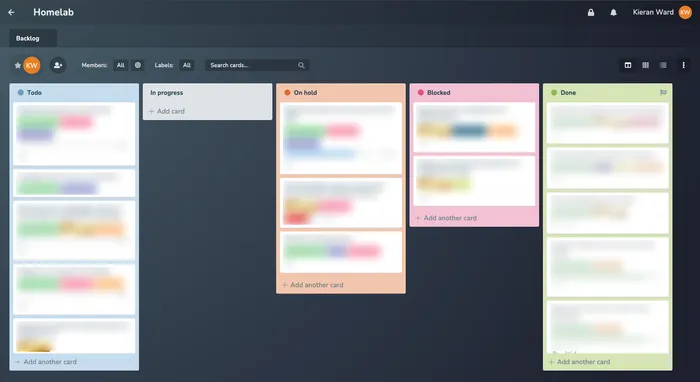
I tried a couple of different backlog-tracking methods, but I’ve landed on using Planka as a lightweight Kanban-style board. It’s been really solid so far and I’m really happy with how it’s working for my use case.
For the columns, it’s pretty standard: Todo, In progress, On hold, Blocked and Done. When I’m ready to work on something, I pick an item from Todo that fits my time and mood, then move it to In progress. Blocked is for tasks I can’t move forward because I’m waiting on something else; On hold is for work I choose to pause until I’m ready to return to it. When something’s finished, it moves to Done. All in all, things tend to move nicely from left to right, with little or no time in either of the two holding columns.
As an aside, I remember seeing and saving a Reddit post about someone who has their entire life as a GitLab instance, which was a great and interesting read. While I’m not there yet, who’s to say I won’t end up there!
Ta,
~K